First, let’s take a look at the pros of Github Pages:
1. Free!!!
2. Domain belongs to GitHub
3. Quick and easy to set up
There are some cons and limitations of course:
1. Can only host static web pages
2. Site size < 1GB
3. Traffic limit < 100GB/month
4. Build times < 10 times/hour
However, for building a personal website, Github Pages is well enough. Since there are already many detailed introductions on the Internet, I will only briefly introduce the steps below.
Create a new GitHub project
 Fig. 1. Create a new GitHub project.
Log in to the github account to create a new repository. The repository name must be [username].github.io, and must select public, and then create.
Put your files to the new repository folder
Next, let's go on the Internet to find a bootstrap template suitable for your own use. Within this template folder there’s probably some files and folders named index.html, /css, or /js. Then, we need to copy everything from the template folder over to our new repository folder.
Publish your website
After that, we only need to modify the code according to the html format to meet our needs.
The last thing to do is go to GitHub Desktop app and choose this new repository. Then, click the "Commit to main" button and push origin.
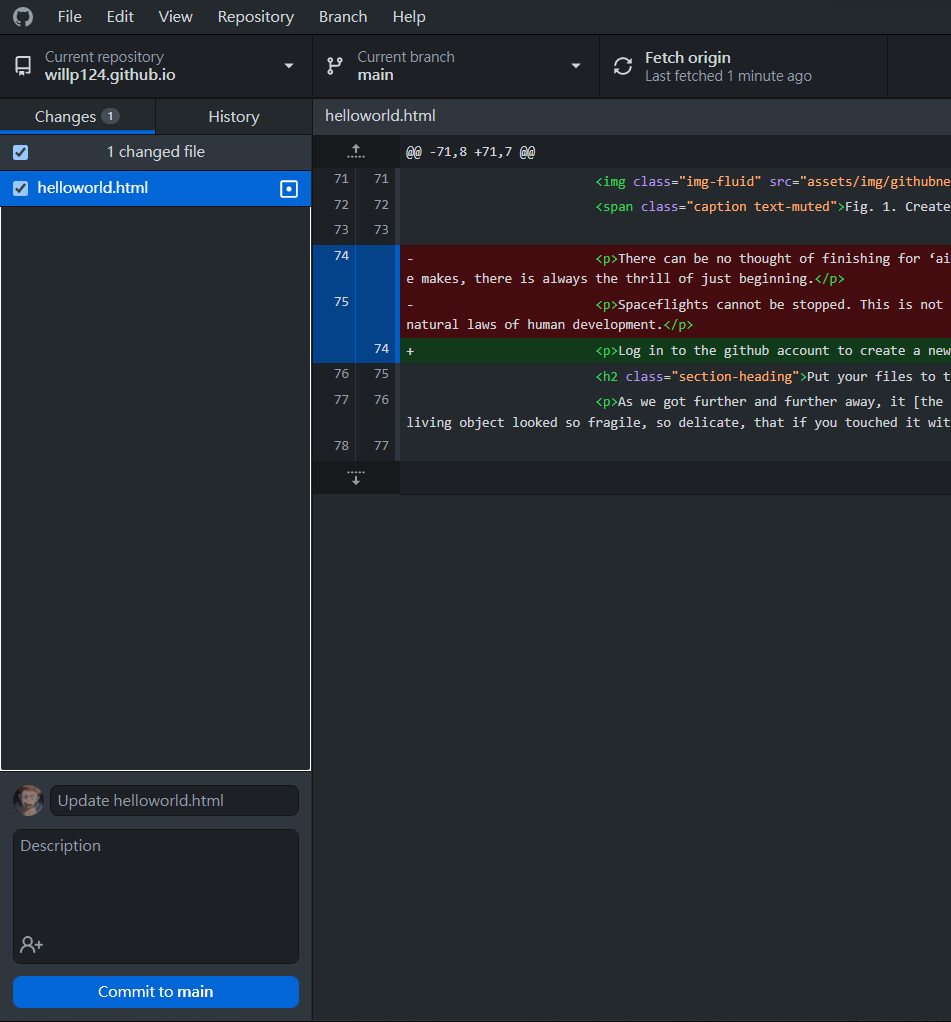 Fig. 2. GitHub Desktop app.
The very last step is to check out your website in browser!!